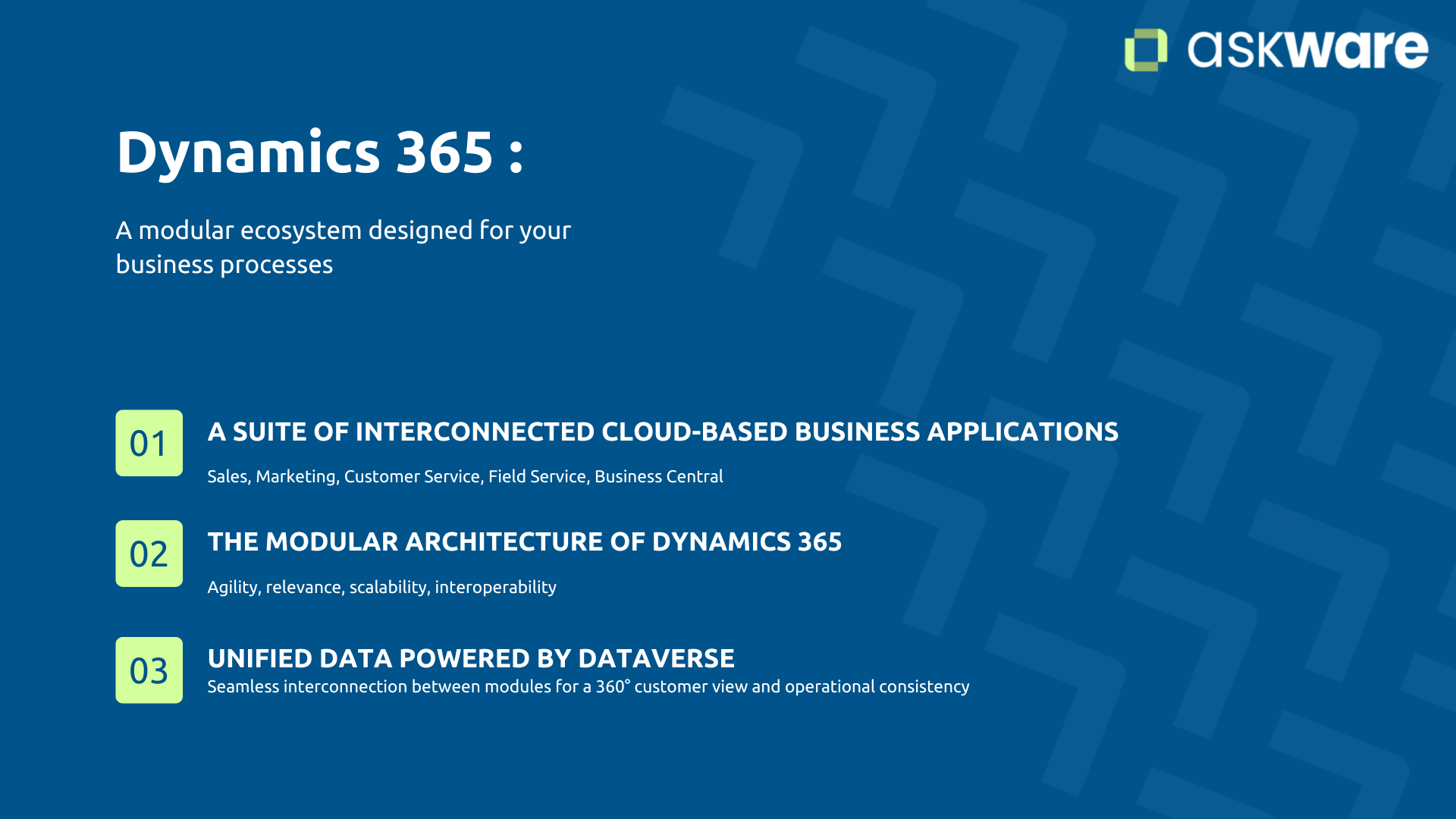
Dynamics 365: a modular ecosystem designed for your business processes
What is Dynamics 365?
Dynamics 365 is a suite of interconnected business cloud applications, built on Microsoft Azure infrastructure. Unlike traditional monolithic ERPs or CRMs, this modular suite allows you to select and deploy only the applications that match your current needs.
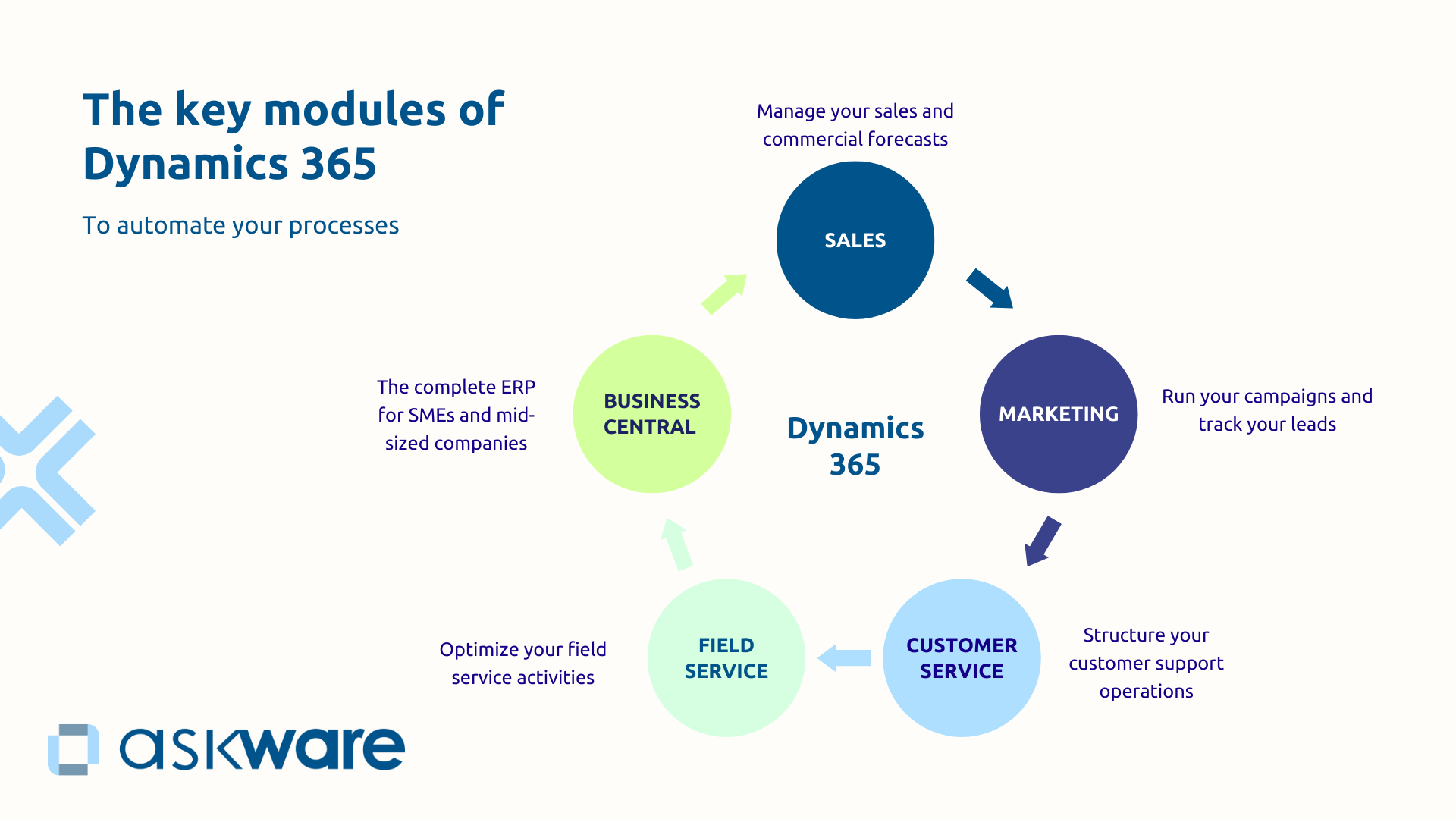
Each module responds to a specific business function:
- Sales to manage your sales
- Marketing to orchestrate your campaigns
- Customer Service to structure your customer support
- Field Service to optimize your field interventions
- Business Central to manage your ERP
The intelligence of this architecture? All these modules share a common technical base: Microsoft Dataverse (formerly Common Data Service). This unified database ensures that your data flows naturally between applications, without breaking information.
Thus, an SME can start only with Dynamics 365 Sales to manage sales, then add Marketing a few months later to structure its campaigns, all without starting from scratch, without complex migration or data loss. Dynamics 365 evolves with business needs.
Why choose a modular approach over an all-in-one solution?
The modularity of Dynamics 365 is transforming the way businesses modernize their information systems. This has several advantages for businesses:
- Agility: You avoid the expensive “big bang” of massive deployments. You can start small, measure results, and adjust before gradually expanding deployment.
- Maximum relevance: You can only invest in modules that meet your real needs today.
- Natural scalability: Add the necessary modules as your business grows, without technological breakage.
- Native interoperability. The modules share the same base via Dataverse. No information breakage, no double entry, no random synchronization.
This approach is like building blocks: you assemble your information system brick by brick, according to your business priorities.
Modularity has an impact on the productivity of your teams. According to a Microsoft study, 67% of employees estimate that they lose more than 2 hours a week because of inadequate tools. Unlike monolithic deployment, modularity allows you to choose only the modules that your teams need.
How do Dynamics 365 modules communicate with each other?
The secret to the fluidity of Dynamics 365 lies in Microsoft Dataverse, the data platform that acts as the nervous system of your business infrastructure.
Dataverse unifies your data into structured tables accessible by all modules. A qualified lead in Marketing automatically becomes an opportunity in Sales. An order created in Sales is immediately visible in Customer Service.
This interconnection offers:
- A 360° vision of the customer: all interactions are centralized
- An automatic flow: data flows in real time
- Operational coherence: a single source of truth
Dataverse integrates natively with Power Platform to create business process automations (with Power Automate), dashboards (with Power BI) or tailor-made applications (with Power Apps). So you can expand the capabilities of your system according to your needs.
For example, when a customer contacts customer service, from the module Customer Service you will be able to see the purchase history (Sales), marketing interactions (Marketing) and you can trigger a field intervention (Field Service), all in a single interface.
Key Dynamics 365 modules to automate your processes
Dynamics 365 Sales: managing your sales and sales forecasts
Dynamics 365 Sales manage your sales force and your sales pipeline.
It makes it possible to transform an opaque pipeline into a reliable and predictive management system thanks to real-time visibility on opportunities.
This makes it easier for you to identify risks and make forecasts based on reliable data.
Sales automates time-consuming tasks, which frees up your salespeople's time for customer relationships. The AI suggests next actions, which allows your team to gain more impact.
Dynamics 365 Customer Insights: activate your campaigns and track your leads
Dynamics 365 Customer Insights Orchestrates your multi-channel campaigns and automates lead qualification.
This module makes it possible to align marketing and sales with a common vision of the lead and to measure the ROI of campaigns.
You can create automated customer journeys that score and qualify leads before sales. The module allows you to orchestrate email campaigns, social networks and events from a single platform. This makes it possible to automate nurturing until lead maturity with the right actions at the right time.
Dynamics 365 Customer Service: structuring your customer support
Dynamics 365 Customer Service centralizes the omnichannel management of your customer support and transforms after-sales service into a lever for loyalty.
Your requests come by email, telephone, chat, social networks and web portal. How do you provide a consistent experience without losing track? Customer Service unifies these channels into a single interface.
Each employee has a 360° view of the customer with the history of interactions and purchases. No need to have the problem repeated or to transfer three times to another interlocutor. Les intelligent workflows automatically route each request to the most competent agent. Complex cases go back to experts, recurring questions are answered by self-service or chatbots.
Customer Service is not only managing requests, it is becoming a loyalty center that enriches customer knowledge for the whole company. Resolution times are reduced, the customer satisfaction score improved thanks to employees who spend more time solving problems than looking for information.
Dynamics 365 Field Service: optimizing your field interventions
Dynamics 365 Field Service industrialize the management of your interventions on site by combining intelligent planning and the mobility of technicians in the field.
Field Service uses AI to plan automatically interventions according to the skills required, the location, the availability of technicians and the parts in stock. The algorithm optimizes routes to reduce trips and maximize daily interventions.
Your teams can access everything from their mobile : customer file, history, technical documentation, technical documentation, inventory, videoconference with an expert if necessary. No need to go back to the office looking for information.
Field Service turns field service into a production line : predictable, measurable, optimizable. No more improvisation. Response times are reduced, the resolution rate at the first visit of the technician is improved, and inventory management is also improved.
Dynamics 365 Business Central: the complete ERP for SMEs and ETIs
Dynamics 365 Business Central makes it possible to unify business management for SMEs and ETIs by unifying finance, purchasing, stocks, production and projects.
Business Central covers accounting, inventory management, production, projects, and supply chain in a modern interface that's accessible from anywhere.
Management is done from a unified cloud platform. No more complex updates and prohibitive maintenance costs. Native integration with Office 365 provides a familiar user experience.
Microsoft cloud ERP adapts to your business thanks to an ecosystem of sectoral extensions. You start with essential features and add progressively as needed.
How do you choose the right Dynamics 365 modules for your business?
Having access to a rich ecosystem is not enough. You still need to know where to start and how to build a coherent architecture.
Map your priority business processes
Before talking about technology, let's talk about business. First, you need to identify your high-impact processes, the ones whose optimization would generate the most value quickly.
To identify these processes, you can ask yourself the following questions:
- What is your main operational impediment?
- What manual processes consume the most time?
- Where are your most expensive information breaches?
- What project would have the fastest return on investment?
Don't try to do it all at once. A business with an opaque sales pipeline will start with Dynamics 365 Sales. Another, faced with dispersed customer requests, will prioritize Customer Service.
Do not try to do it alone either, you must involve your business managers in the diagnosis.
Askware can also help you in this strategic framework phase by analysing your processes from an outside perspective, identifying high-impact modules and building a realistic roadmap.
The right module answers your most critical pain point today.
Think interconnectedness from the start
Even when deploying only one module, your architecture must anticipate future needs.
A global vision is crucial because it allows:
- To avoid technical impasses. Some initial decisions facilitate or drastically complicate future extensions.
- To optimize the investment. The Dataverse architecture ensures that your investments will never be lost.
- To speed up deployments. Once the first module is stabilized, adding modules becomes much more fluid.
As for a house: the overall architecture must be thought out from the start, even if you don't furnish all the rooms.
A Dynamics 365 integration partner like Askware can help you design the target architecture and roadmap to ensure that your platform evolves smoothly.
Rely on an expert partner for successful implementation
Dynamics 365 is not a “plug and play” software, it is an ecosystem to be orchestrated. The difference between “buying licenses” and “deploying successfully” is in a nutshell: accompanying.
You need a partner who understands the Microsoft architecture AND your business challenges because human support is important to adopt a new tool.
Your partner should be able to support you in order to:
- Framing your project and define the optimal roadmap
- Set up and customize according to your real processes
- Train your teams to guarantee adoption
- Managing change because technology is only a lever
The trap? Deploying Sales without support often leads to underexploiting advanced functionalities (AI, automations) and disappointing users. A powerful tool then becomes a simple contact base for lack of sufficient customization and configuration.
Askware combines the strategic vision of a consulting firm and the technical expertise of a Microsoft certified integrator.
.png)
Going further with Dynamics 365 and Power Platform
The Dynamics 365 ecosystem doesn't stop at business modules. It is naturally enriched with Power Platform and Azure integration to meet specific needs.
Extend capabilities with Power Platform
Dynamics 365 and Power Platform form a powerful tandem to create tailor-made solutions without heavy development.
Concretely, you can use:
- Power BI to transform your data into visual dashboards and make predictive analyses adapted to your business questions.
- Power Automate to automate workflows between Dynamics 365 and your other tools and trigger actions according to your rules: sending emails, creating tasks, updates, notifications.
- Power Apps to create business applications without coding, such as an expense report portal connected to Business Central and with automatic validation thanks to Power Automate
- Copilot to boost productivity with AI: writing commercial emails, summaries of customer cases, suggested answers.
Combining Dynamics 365 and Power platform allows you to have maximum agility in your tools to precisely meet your business needs.
Secure and govern your data with Azure
Dynamics 365 is based on Microsoft Azure, one of the most secure and efficient cloud infrastructures on the market.
Azure guarantees:
- Regulatory compliance with RGPD, ISO 27001, SOC 2 standards in particular,
- Multi-layered security through authentication, encryption, and threat detection
- An availability of 99.9%.
Azure Monitor allows you to monitor your environments in real time and anticipate problems.
Azure offers a level of protection that would be extremely expensive to replicate in an on-premise infrastructure.
Dynamics 365 is a modular ecosystem designed to adapt to the business realities of each business. Modernizing your CRM with Microsoft Dynamics, automating your campaigns, structuring your support, optimizing your field interventions or managing your ERP: the suite offers specialized and interconnected modules.
The key to success? Identify your priority processes, think about interconnection and rely on an expert partner.
Askware supports you from strategic thinking to operational deployment to ensure that your investment quickly generates measurable value. Ready to orchestrate your processes with Dynamics 365?