Dynamics 365 Customer Service: a complete platform to structure your support
What is Dynamics 365 Customer Service?
Dynamics 365 Customer Service is the customer support platform for the Microsoft Dynamics 365 ecosystem. Unlike a simple customer ticketing tool, it is a complete platform that covers the entire support cycle: from the initial customer request to the resolution of the case and the measurement of satisfaction.
Its strength? La omnichannel centralization. Email, telephone, chat, social networks, self-service portal: each interaction arrives in the same system and automatically enriches the customer history. No more lost requests, no more customers having to repeat their problem.
The cloud architecture is based on Microsoft Dataverse, guaranteeing native integration with Dynamics 365 Sales, Marketing and Business Central. Your agents have instant access to the 360° view of the customer: purchase history, previous interactions, documented preferences.
The customer service software also integrates artificial intelligence capabilities. AI becomes the assistant of your support teams with automatic article suggestions, intelligent routing of requests or even sentiment analysis to detect at-risk customers.
The profiles that get the most value from Dynamics 365 Customer Service
Dynamics 365 Customer Service allows the various parties involved in the customer relationship to improve their experience with your company:
- Customer service managers manage their performance with reliable data and optimize the process. All indicators are centralized in real time: average resolution time, SLA compliance rate, evolution of customer satisfaction (CSAT) and NPS.
- The agents work in a single interface giving immediate access to relevant information. A customer contacted by chat? In a few seconds, you can view its complete history, view AI-recommended articles, and resolve the issue in five minutes instead of twenty and send a satisfaction survey automatically.
- Sales teams use support data to anticipate. A customer who multiplies technical requests? It may be a sign of a risk of churn or an opportunity to upsell. This natural integration between customer service and commercial function creates a virtuous loop.
- The DSI can manage compliance and data governance through the centralization of support tools.
The tool benefits end customers themselves. They gain autonomy via the self-service portal where they can consult help articles to find answers without waiting and follow up on their requests in real time.
Key features of Dynamics 365 Customer Service
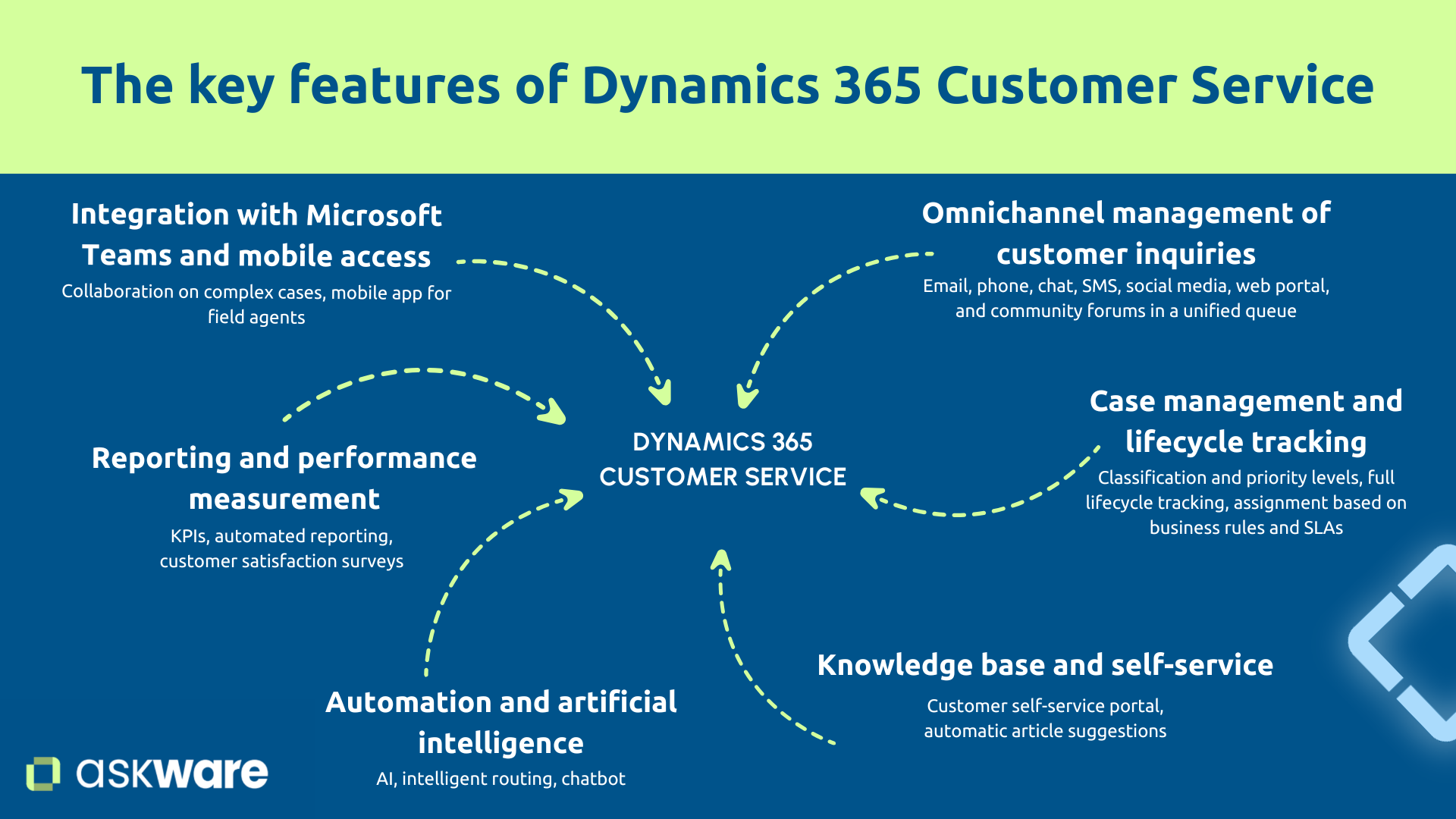
Omnichannel management of customer requests
Omnichannel centralization eliminates the main nightmare for support teams: requests that get lost between channels. Customer Service combines messages from emails, telephone, chat, SMS, social networks, web portals and community forums in a single interface.
All of these requests converge on a Single file viewable by agents, regardless of the channel. Each interaction enriches the customer history. A customer contacts you by email on Monday and then uses the chat on Tuesday? The agent immediately sees the previous email and can continue without having the customer repeat it again.
The smart routing automates assignment based on skills, workload, and SLAs (your service level commitments). Thus a complex case automatically goes to a level 2 engineer, while a standard request joins the pool of available agents.
This approach significantly increases the resolution rate at first contact. According to a Forrester study, the resolution rate at the first contact increases by 20% thanks to Customer Service.
Case management and life cycle monitoring
Structuring the treatment ensures that no case falls through the cracks. Each request becomes an automatically formalized case with:
- A classification and a level of priority according to the urgency or the business impact.
- A life cycle mapped out with the steps you defined (for example: new, ongoing, pending, escalated, resolved, closed).
- An assignment based on your business rules.
SLA are configured by case type. You define the expected deadlines, the system generates automatic alerts in case of overrun. A VIP customer reports a critical bug? The case is created with high priority, assigned immediately to an expert, with a SLA of four hours. If after three hours it remains open, automatic alert to the manager.
Climbing rules prevent situations from deteriorating silently. A case that is not resolved on time is escalated to the appropriate team or level. The tool traces the action, the agent who carried it out, and the results obtained.
Knowledge base and self-service
Knowledgebase is a strategic asset that is too often underestimated. Well built, it transforms the efficiency of your teams and the autonomy of your customers.
Create and manage articles: guides, FAQs, tutorials, documentation. Organize them according to a taxonomy (categories, tags, levels) and make them accessible via a Self-service portal where customers search for answers using the search engine and submit cases.
Real power? While an agent is processing a case, the system Automatically suggests relevant articles. No need to search, the information arrives at the right time.
Measuring the usefulness of articles (feedback on usefulness, consultation analytics) guides continuous improvement to update the available documentation.
So, if you notice that the request to reset a password is frequent, you can add a detailed article with screenshots to the knowledge base so that customers can do it without asking an agent.
Studies show that self-service portals contribute to the reduction of processing time, saving up to 468 hours per agent per year (Forrester study).
Automation and artificial intelligence
AI in customer service is a measurable operational lever. Intelligent routing analyzes the content of each request and directs it to the most competent agent. Sentiment analysis detects frustration: a very negative email is marked as a priority and routed to a senior.
Chatbots (integrated with Power Virtual Agents) answer simple and repetitive questions 24/7, freeing up your agents for complex cases. Power Automate igration opens up endless possibilities: if a case remains unresolved for two days, automatically send a follow-up email and alert the manager.
According to studies conducted by Microsoft, 365 Customer Service makes it possible to reduce false paths by 15% by sending requests to the interlocutor capable of dealing with them on the first call. This makes it possible to save 292 hours per agent per year.
Reporting and performance measurement
Customer Service makes the performance of the Microsoft Helpdesk visible through Native KPIs. Reporting is automated to see the average resolution time, the First Call Resolution (resolution rate on the first call), the SLA compliance rate, the volume per channel or even the backlog.
Thanks to surveys CSAT (Customer Satisfaction Score) and NPS (Net Promoter Score) triggered automatically after resolution, you collect systematic feedback that feeds your dashboards.
Each profile has its relevant indicators:
- For agents: its current cases and performances
- For the manager: team performance and trends
Integration Power BI allows you to go further with advanced analyses with reliable data, the identification of recurring problems, the detection of correlations.
For example, a manager notes that the support resolution time has increased over the last 2 weeks. Through Power BI, he identifies that a new product generates a lot of similar questions. He will be able to plan the creation of detailed articles and train his agents to reduce the resolution time quickly.
According to a study by Into the Minds, effective case management can increase customer retention by 21% among customers who are satisfied with the response.
Microsoft Teams integration and mobility
Teams integration facilitates collaboration on complex cases. A blocked agent can mention an expert in Teams, who accesses the notes taken on the context and responds without leaving his daily tool.
This also makes it possible to adapt to the company's working methods when the company has implemented teleworking in particular.
Mobile app makes it possible to process requests from a smartphone or tablet for agents in the field.
Real-time notifications alert to urgent cases or SLA breaches, ensuring constant responsiveness.
The concrete business benefits of Dynamics 365 Customer Service
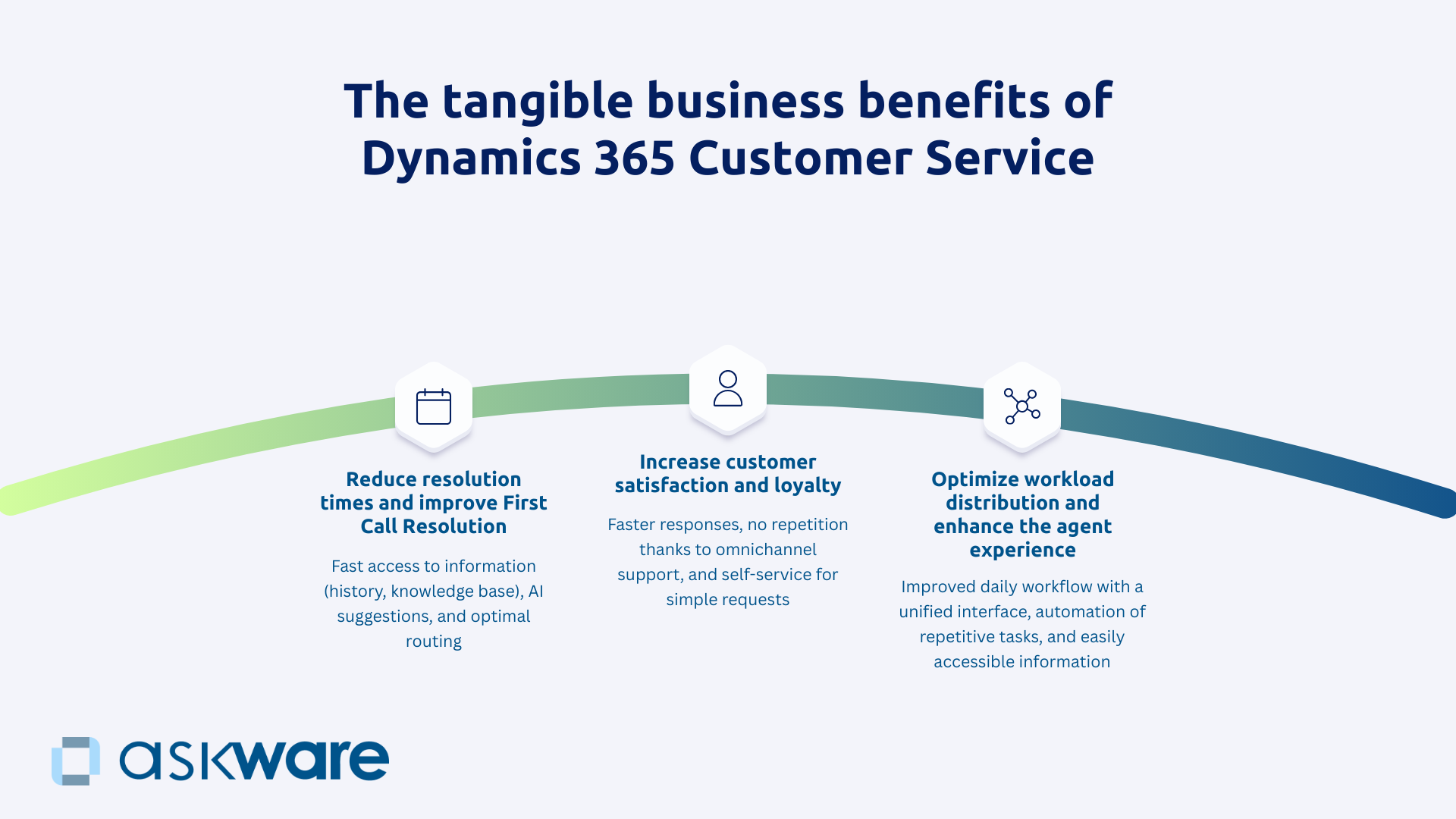
Reducing resolution times and improving First Call Resolution
Customer Service turns every agent into effective resolver thanks to:
- Fast access to information: customer history, knowledge base, AI suggestions,
- Optimal routing eliminating transfers between interlocutors,
- A self-service solution that solves simple requests without the intervention of an agent.
They are better equipped, which allows them to go faster and reduce the need for ticket escalation.
Businesses see on average a 40% reduction in average resolution time and A 20% improvement in FCR according to Microsoft. For an organization dealing with 10,000 monthly cases with a current time of 45 minutes, increasing to 30 minutes represents 2,500 monthly hours freed up.
Improving customer satisfaction (CSAT) and loyalty
Customer Service makes it possible to transform customer service from a cost center to a loyalty driver.
Satisfaction is built on the details:
- Fast answers that reduce waiting times,
- One omnichannel support avoiding repeating the problem,
- Of theautonomy via self-service,
- One proactive posture with preventive contact when the problem is detected, anticipating possible claims.
All these elements make it possible to improve customer satisfaction, which is systematically measured during exchanges and creates a continuous improvement loop.
Data shows that a 10% improvement in CSAT can increase loyalty and impact company profitability by up to 30% (Bain & Company).
Optimizing agent workload and experience
The Customer service module improves the satisfaction of customers but also of your internal agents.
Frustrated agents provide poorer service and leave more quickly. Customer Service improves their daily lives: unique interface, automation of administrative and repetitive customer service tasks, information that is easy to find
A powerful tool creates a feeling of efficiency, fair routing reduces stress by having visibility on the workload. And for those who perform the most, the KPIs value them.
Organizations that modernize their tools are seeing a reduction in turnover. You keep the skills in-house and don't need to replace your best people.
How do you successfully deploy Dynamics 365 Customer Service?
Audit your support processes and define your target workflows
The success of deploying a tool depends on initial framing. Deploying without formalizing your processes means reproducing existing chaos in a new tool.
The audit documents the reality: volume per channel, types of requests, current processing times, points of friction. This information gives you a starting point to assess your needs.
The definition of target processes structure the transformation:
- What workflow by type of request,
- What routing rules,
- What level of SLA is realistic.
Competency mapping identifies who does what. What teams are involved? What are the levels of expertise of each?
From all these elements, you will be able to define your goals and the resulting indicators of success.
Askware is conducting this audit by combining business vision and technical feasibility., translating your processes into Customer Service configuration. As for the optimization of field interventions, we align technology with your business challenges.
Building and structuring your knowledge base
The knowledge base requires an initial effort to structure it in order to make it a strategic asset.
To do this, you need to:
- Inventory existing knowledge : documents, FAQs, guides and identify expertise that is not formalized and is in the minds of your agents.
- Create a coherent taxonomy with product or level categories (beginner, advanced) depending on what is most relevant in your business.
- Write the first articles by prioritizing top 20-30 requests the most frequent ones (to cover 60 to 70% of the volume of requests),
- Define a workflow for writing and validation articles to continuously feed the knowledge base and keep it up to date.
Askware supports you in this structuring, relying on our expertise in creating business applications to accelerate the production and updating of content.
Train teams and drive adoption
Even the best technology fails without user adoption.
Explain the concrete benefits, involve agents in the configuration and train them three levels of users: agents for daily use, supervisors for management and administrators for configuration.
Identify internal champions to get ambassadors among your agents and prefer gradual deployment.
Finally, measure adoption objectively by monitoring agent satisfaction and the evolution of your KPIs.
Askware supports your teams in getting started and continuous optimization, based on our experience in driving digital change.
.png)
Dynamics 365 Customer Service transform your support into a loyalty center. By centralizing all channels, by effectively equipping your agents, by empowering your customers and by systematically measuring performance, you create the conditions for a service that builds loyalty rather than managing complaints.
Success depends on the quality of the framework, the structuring of the knowledge base, the configuration aligned with your professions, and the support towards adoption.
Askware is with you every step of the way : audit of your support processes, definition of target workflows, structuring of your knowledge base, configuration aligned with your challenges, integration with the entire Dynamics 365 platform, training your teams and continuous optimization.