Data Management: The Complete Guide to the Microsoft Ecosystem
Data management: how to structure, govern, and secure your data with Microsoft Purview, Azure, and Dataverse. Expert guide.

Low code promises to revolutionize the development of business applications. No need to wait months for your tool to be delivered to you since you only have to create it yourself in a few days.
However, as practice shows, the reality is more nuanced. Indeed the Low-code does not eliminate complexity, it only moves it: as soon as you touch business logic, large volumes of data or security issues, the limits of this approach are instantly felt.
In what follows, we will see together where the simplicity conducive to low-code ends and where the need for expertise begins. All this through use cases adapted to pure low code, warning signals that require technical expertise and low code governance strategies.

Low code consists of use visual interfaces in order to create applications, while having as little code as possible to write: you assemble components by drag and drop, configure rules in menus, define workflows graphically. This approach is different from no-code (no line of code) and classical development (everything manually coded).
In the Microsoft ecosystem, low-code comes next Power Platform which includes in particular:
Thus, Power Platform is not just a simple prototyping tool but a mature platform with integrated governance based on Microsoft security (authentication via Entra ID, data flow control, integrated audit).
Used wisely, low code keeps its promises. The speed of development comes from pre-built components and native connectors that avoid weeks of integration. Empowering businesses allows “citizen developers” to create their own solutions. This democratization frees IT teams to focus on projects with high added value. For example, an expense report management application takes 2 weeks for a functional version with Power Apps, while it would take several months if you coded it entirely by hand.
Be careful, however, because although to a certain extent, it is true that almost “anyone can create business applications without coding”, this does not mean that anyone can create any application without coding.
In other words, A simple application is not necessarily robust, secure, and scalable. Just because it works for 5 users does not mean that an application developed in low-code is viable for 500 users with sensitive data.
As soon as we change the scope, certain skills are indispensable, among which we can mention:
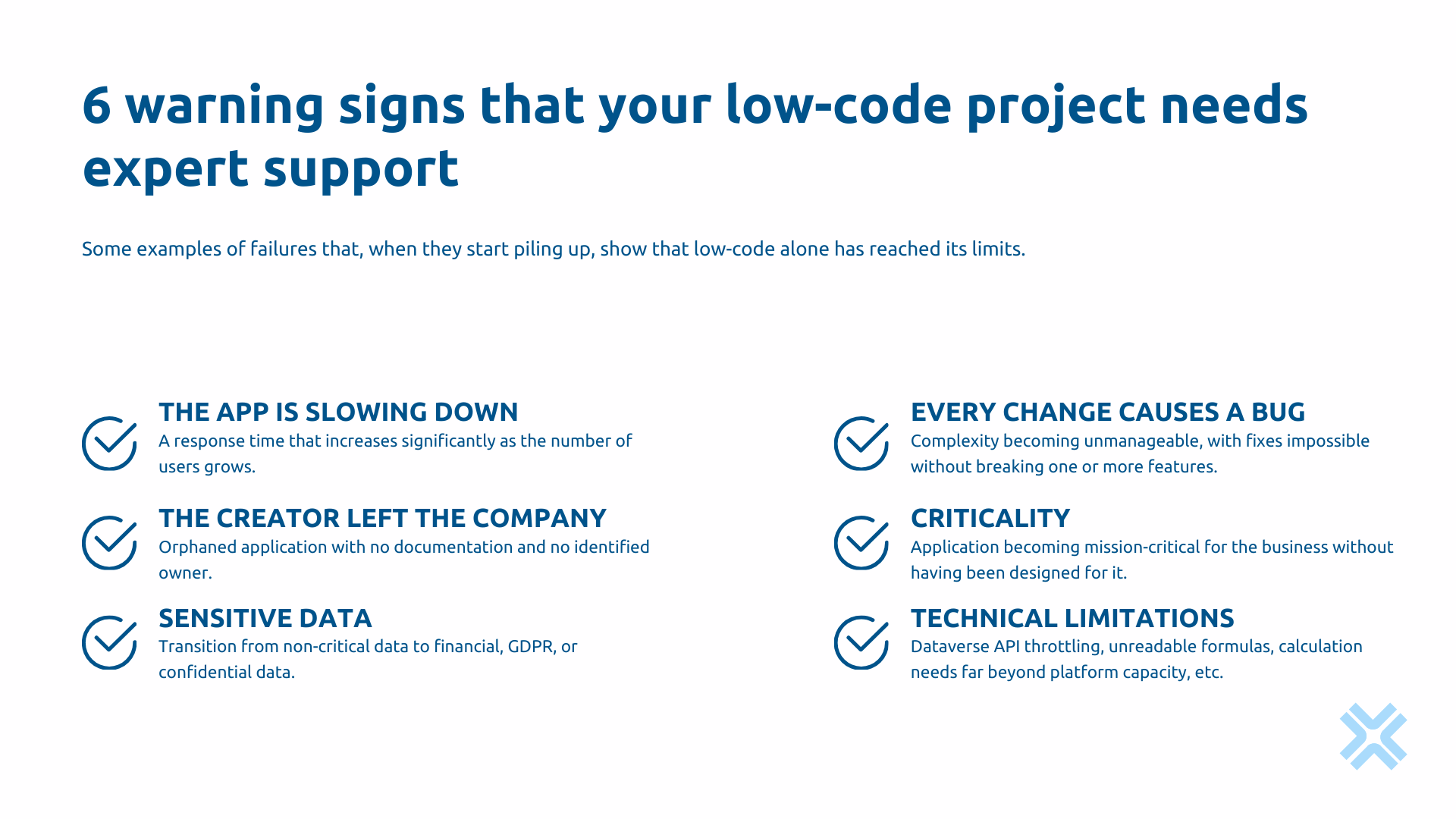
When business users develop their own applications, we speak of citizen development; if the latter is not supervised then you fall into shadow IT whose risks can be illustrated through the following typical scenario: A Power Apps application created to manage hardware requests, adopted by 50 colleagues, has become critical. However, its creator leaves the company and the application then becomes an orphan. That is to say, its logic is buried in formulas without documentation and no one dares to change it anymore.
Low code lowers the technical barrier but does not eliminate the need for skills and governance.
Low code works perfectly when complexity is manageable. Think of daily management applications: entry forms, approval workflows, monitoring dashboards. What do they have in common? Relatively linear business logic without sophisticated calculations or massive volumes of data.
Simple automations are also ideal terrain. Synchronize data between SharePoint and your CRM, send notifications when certain conditions are met, automatically create folders and tasks: Power Automate excels in these scenarios thanks to its hundreds of connectors.
From experience, the limit is around 50 users, around 100,000 records and a logic that consists of a few dozen understandable rules. Beyond that, warning signs start to appear.
There are three types:
If you spot 3 or more warning signs — of any type (s) — stop everything and call in an architectural expert.
Rather than redoing everything in classical development, the hybrid approach Keep low code where it adds value. Thus, the user interface remains in Power Apps for its rapid evolution while the complex business logic switches to Azure Functions developed in C#, which are unit testable and efficient.
Let's take the example of an industrial product configurator. Sales reps use an intuitive Power Apps interface to select options and visualize the product. But behind it, a C# engine manages thousands of compatibility rules, calculates prices according to complex price grids and queries the ERP for stocks. The salesperson sees simplicity but the architecture of the product guarantees its robustness.
This approach requires a real expertise to help you decide what should stay in low code and what should switch to professional code. It is precisely in this type of situation that an integrator like Askware brings value.
Orphan applications, shadow IT, duplication of efforts, without governance, low-code is a source of chaos. The Center of Excellence solves this problem by creating a framework that unleashes innovation while controlling risks.
Concretely, the CoE is a small transversal team that defines the rules of the game : who can create what, with what tools, according to what approval process. But that's not all:
Microsoft provides the CoE Starter Kit with dashboards that give immediate visibility: how many apps exist, which ones are used, which ones are orphaned. Organizations that deploy CoE are seeing a significant reduction in orphan applications and a significant improvement in the reuse of components.
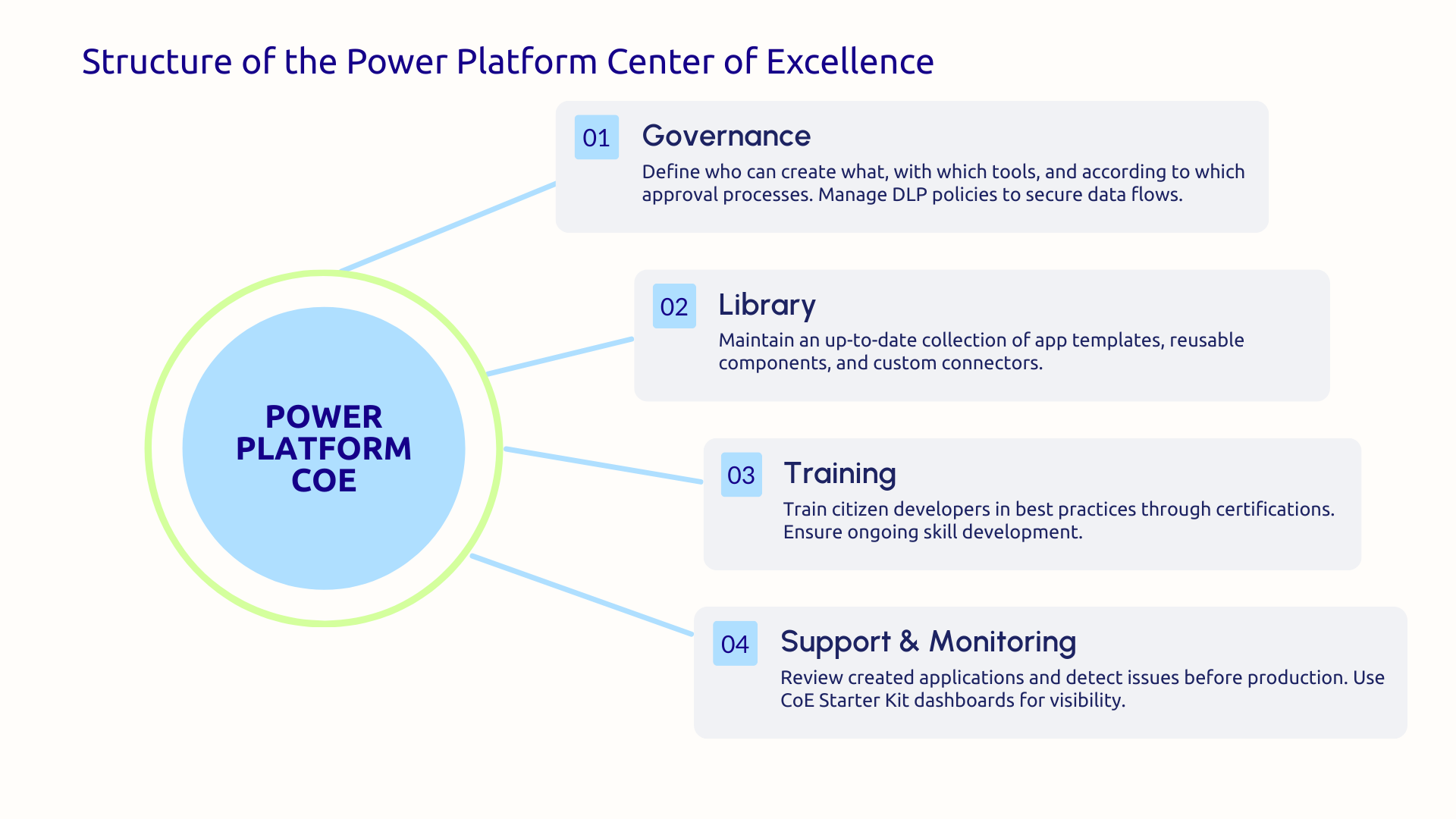
A motivated but untrained citizen developer will tend to create applications that work on the surface but hide real time bombs (which will have to be fixed several months later). Be careful, training does not mean showing an employee where to click in Power Apps. To train is to give all the details On:
Effective training combines Microsoft certification (PL-900 for the basics, PL-100 for a more advanced level), mentoring by an experienced developer during the first projects and systematic code review before going into production.
As mentioned above, good governance seeks above all to provide a framework without hampering innovation. To do this, it is thanks to DLP policies that you prevent accidental data leaks by blocking certain combinations of risky connectors (no automatic copy of the CRM to personal Dropbox). Likewise, by separating development environments, you're giving free rein to sandbox experimentation while protecting production.
Furthermore, in order to avoid both the pitfalls of laxity and that of bureaucracy, make your approval processes proportionate to the challenges :
As a mature business platform, Power Apps offers two approaches: Canvas Apps offer total design freedom for tailor-made interfaces, while Model-Driven Apps rely on your Dataverse data model to automatically generate management interfaces. Native integration with Microsoft 365, Dynamics 365, and Azure works without complex configuration.
For its part, Power Automate orchestrate automations with several hundred connectors. Thanks to this tool, workflows can be sophisticated: conditions, loops, error management, parallel branches. So, when an opportunity is created in Dynamics 365, Power Automate creates the structured SharePoint folder, notifies the team on Teams, generates follow-up tasks, and sends the email to the prospect.
Note, however, that for very large volumes or complex integration orchestrations, Azure Logic Apps will be more appropriate than Power Automate.
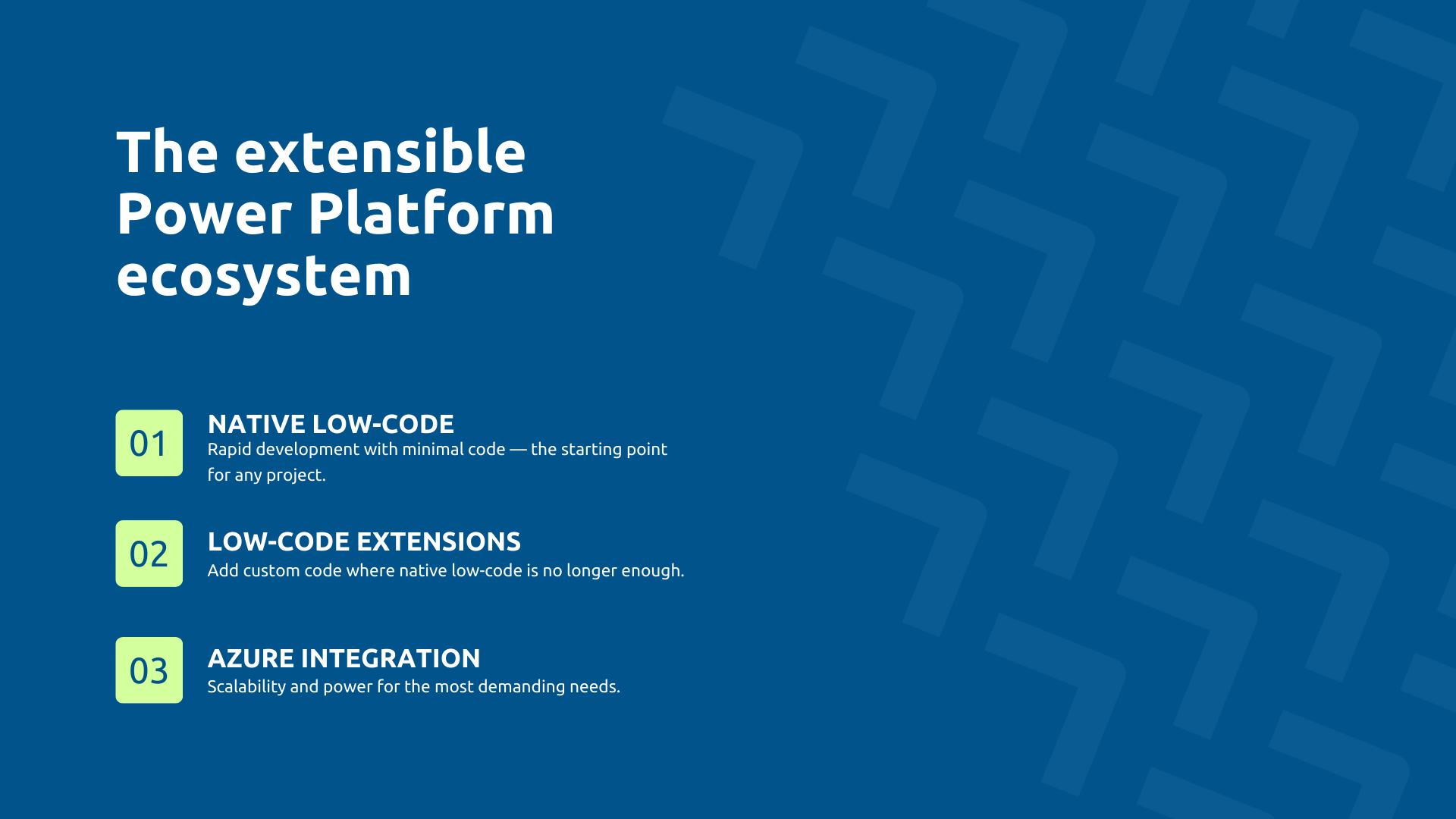
Power Platform escapes the trap of confinement thanks to its scalability. Need a sophisticated visual component that doesn't exist? Develop it in TypeScript like PCF Control (custom visual components) and integrate it by drag and drop. Business logic too complex? Create a Dataverse plugin (business code that runs on the server side) in C#. Internal system without a connector? Create your custom connector.
And above all, Power Platform integrates deeply with Azure. Your applications call Azure Functions for complex calculations, Azure Cognitive Services for AI, Azure API Management for enterprise integrations.
You start with pure low code to deliver quickly. Then you gradually expand with Custom code when the needs justify it. That way, the initial investment is never lost.
Low code is a tool powerful that requires expertise and governance to deliver its full value. Successful IT decision makers clearly identify appropriate use cases, implement governance through a CoE, train their citizen developers, and adopt hybrid approaches when needed.
Askware supports organizations in the integration of low-code practices by combining technical expertise in the Microsoft ecosystem and understanding of business issues. Contact us for a diagnosis of your needs and discover how Power Platform can accelerate your digital transformation.
No-code really aims for zero lines of code with ultra-simplified interfaces for basic automations. Low code considerably reduces the quantity of code but allows custom code to be added when necessary. Power Platform is low code: you create a lot without coding, but you can also write complex formulas or integrate TypeScript and C#. This flexibility makes the difference between a tool for personal automations and a real business platform.
Absolutely, thousands of organizations use Power Platform for critical applications. For a business process management application with a few hundred users and relatively classical logic, low code excels. For a high-frequency trading system or a high-performance computing engine, you'll hit the limits. The hybrid approach then becomes your best option: a low-code interface for agility, a critical engine in professional code for performance.
The solution combines transparency (complete visibility via CoE dashboards), proportionate governance (separate environments, DLP, adapted approvals) and support (training, active support). A governed low code with an active CoE is infinitely preferable to wild development in Excel, Access or uncontrolled SaaS tools.
Our experts share their vision of best practices and technological trends to ensure the success of your digital transformation.