Copilot: generative AI integrated into the Microsoft ecosystem
What is Copilot and how does it work?
Copilot is Microsoft's intelligent assistant, powered by the GPT language models developed by OpenAI and adapted for the business context. Unlike ChatGPT, which works in isolation, Copilot accesses your corporate data directly while scrupulously respecting your existing permissions. Copilot improves with your use, it is constantly learning about your processes and your activity to be ever more relevant.
The integration is native: Copilot appears directly in the Dynamics 365 Sales, Customer Service or Power Apps interface. You don't change tools, you simply benefit from increased intelligence that generates content, synthesizes information, extracts insights and supports your decisions.
What does Copilot not do? It does not replace your teams. Each suggestion is subject to human validation. The user is in total control and ultimate responsibility for decisions. Copilot multiplies capacities, he does not decide for you.
Copilot in Dynamics 365 vs Copilot in Power Platform: what's the difference?
“Copilot” is a generic name that covers several combinations optimized according to the business context in order to remain relevant.
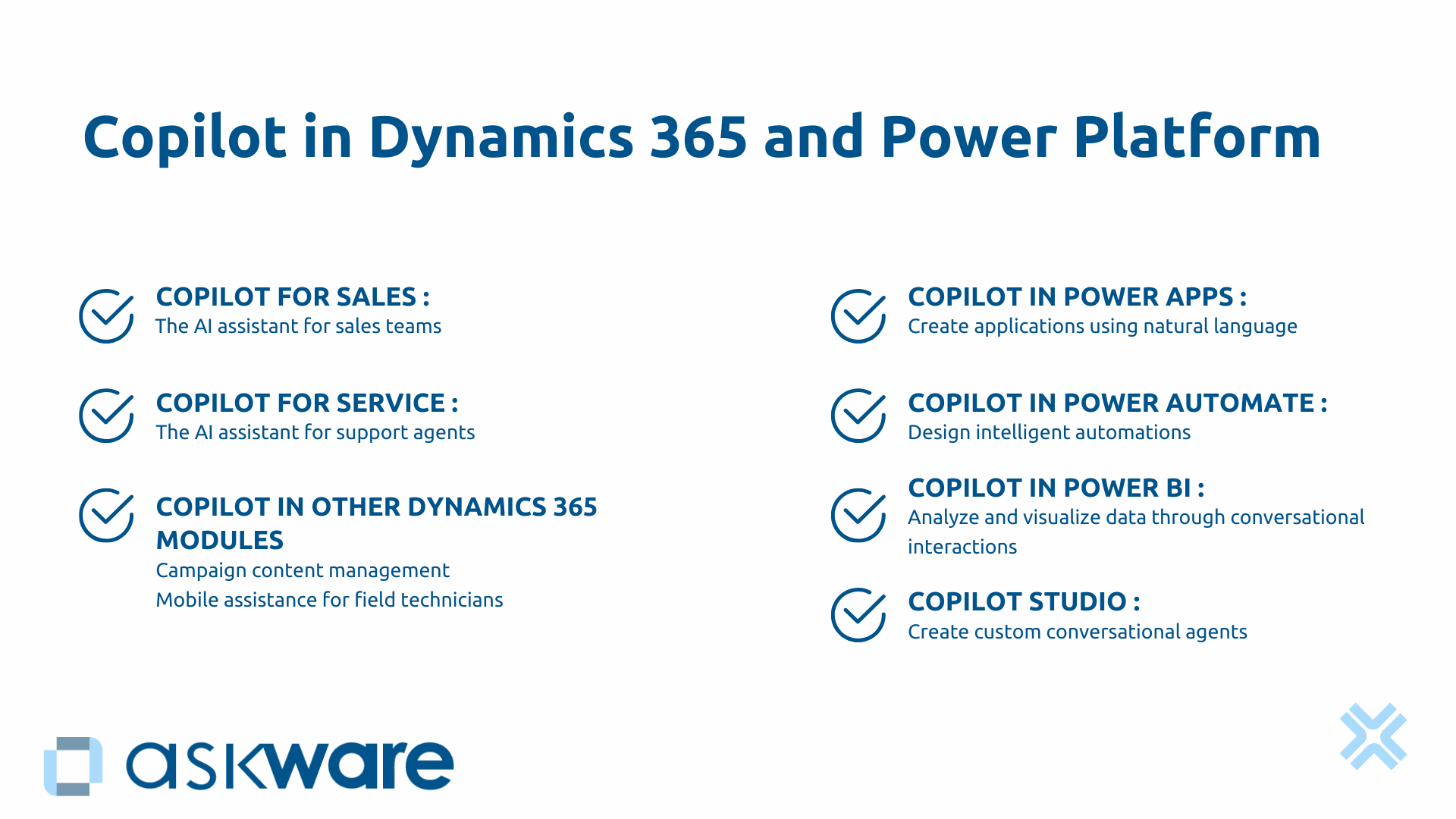
Copilot for Sales Assist your sales representatives in Dynamics 365 Sales, Teams, and Outlook. Artificial intelligence prepares appointments, generates reports and keeps your CRM up to date.
Copilot for Service turns each support agent into an expert. Integrated with Dynamics 365 Customer Service, it summarizes customer history, suggests responses, and writes personalized communications.
Copilot in Power Platform democratizes the creation of applications, automations and analyses by allowing businesses to build solutions in natural language, without mastering the code.
Copilot Studio allows you to create personalized conversational agents connected to your data, deployable on Teams, your website or WhatsApp.
Security and governance: how does Microsoft protect your data?
The issue of safety is often the first barrier to adoption. With its permission system, Copilot only accesses data that you already have access to. A junior salesperson will only see their own opportunities, not those of the entire company. No “back door” to confidential information.
Your prompts and information are never used to train public GPT models. Microsoft doesn't reuse your corporate content. Data is encrypted, compliant with GDPR and Azure certifications.
Your IT maintains complete control: activation of Copilot by department, audit of uses, definition of use policies. Copilot generally cites its sources, allowing you to verify the origin of each piece of information. If your organization manages critical business processes on Dynamics 365, IT governance becomes a strategic pillar to frame these new AI capabilities.
Copilot in Dynamics 365: boost sales performance and customer service
Copilot for Sales: the AI assistant for salespeople
A salesperson must meet a strategic prospect tomorrow. Before Copilot, he would have spent 30 minutes compiling the history: consulting the CRM, rereading emails, checking LinkedIn. With Copilot for Sales, the sales AI assistant instantly prepares the appointment.
Copilot automatically summarizes all relevant information: purchase history, latest interactions, current opportunities, news from the client company. The salesperson arrives prepared with a personalized and relevant approach.
After the Teams meeting, Copilot generates the structured report : key points, objections, commitments, actions to be carried out. The system even identifies buying signals in the customer's words and suggests next steps. Updating the CRM, this chore that salespeople are constantly putting off, is becoming fluid.
The administrative tasks of salespeople are greatly reduced. This recovered time is reinvested in customer relationships and sales. The CRM update rate is increasing, offering finally reliable commercial visibility.
Copilot for Service: the AI assistant for support agents
A customer sends a complex email with three different questions. Without Copilot, the agent must decipher the requests, search the knowledge base, consult the history, formulate a response.
With Copilot for Service, the process is transformed. Copilot analyzes automatically the content, identifies questions, consults the knowledge base and customer history and then generates a structured response draft. The agent checks, adjusts the tone, and sends. The treatment time is thus halved.
Copilot also detects emotional feelings. A frustrated customer gets back in line. This contextual intelligence makes it possible to prioritize intelligently and to adapt the tone of each interaction. The knowledge bases are finally becoming usable, even for a junior agent.
Copilot in the other Dynamics 365 modules (Customer Insight, Field Service)
Copilot can be used for all business functions and integrates into all Dynamics 365 modules.
Thus, in Marketing, Copilot generates marketing campaign content (emails, posts on social networks, etc.), suggests audience segmentations and analyzes performance.
For the Field Service, technicians benefit from mobile assistance. Copilot will generate automated intervention reports and suggest optimized schedules. In the event of a complex problem, he will help solve the problem by assisting technicians in the field.
Copilot in Power Platform: democratizing creation and analysis
Copilot in Power Apps: creating applications in natural language
“I want a leave management application with hierarchical validation.” This simple sentence generates a functional application in a few seconds. The structure, the forms, the connections to the data, the whole database is created automatically.
So, an HR manager with no technical skills can build the tool their team needs simply by describing it. Copilot generates the database, the user customizes and deploys it in a few days rather than several weeks. Copilot even goes so far as to generate fictional data in order to be able to test the application before deploying it.
For more advanced makers, Copilot suggests Power Fx formulas appropriate and explain their logic.
Copilot integrated into Power Apps transforms organizational agility. Business needs are transformed into operational solutions without always depending on overloaded IT resources.
Copilot in Power Automate: designing intelligent automations
A financial manager wants to automate the approval of expense reports according to complex rules that vary according to the amount, the category of expenses, the length of service of the employee and the available budget. He can do this by simply describing the desired automation to the AI and the rules to follow in his words.
Copilot analyzes the need and generates the complete workflow in Power Automate with all conditional branches, SharePoint connections and email notifications. It suggests relevant actions according to your context because Copilot can extract structured or unstructured information from your various media.
The manager tests, adjusts some details if necessary and deploys the automation. Copilot's intelligence goes beyond simple generation: It suggests proactive improvements like automatic reminders. If the flow fails, he will be able to explain the reasons and the actions to be taken to correct the flow.
Copilot in Power BI: analysing and visualizing data in conversation
Copilot is also involved in data analysis via Power BI.
Let's say a sales manager wants to analyze his performance. With Copilot, he interacts directly with his data. By asking: “Show me the evolution of sales by product over 12 months.” Copilot will generate the appropriate graph instantly.
“What products have made the most progress?” Copilot highlights high-growth products and generates explanatory text to help you interpret the data. Microsoft 365 Conversational AI democratizes data analysis without mastering DAX formulas or data modeling.
Copilot Studio: creating personalized conversational agents
Copilot Studio allows you to create custom chatbots and AI agents.
For example, an HR manager wants to reduce recurring questions related to leave, expense reports and internal regulations. Copilot Studio allows him to create an intelligent conversational agent without code, thanks to a visual interface. The bot will be able to connect to company data via Dynamics 365, a SharePoint, a database or to the HRIS.
It can be customized to adapt the answers and the tone to be used. It can be integrated on various channels such as Teams, the company's site, WhatsApp...
Result: employees question the bot 24/7, get instant answers and The HR team recovers 5 hours per week for the human support of complex situations. There are many use cases, AI assistants can adapt to all sorts of business needs.
The concrete benefits of Copilot for businesses
Measurable productivity gains
Forrester studies accurately quantify the impact. Sales representatives see their efficiency increase by 15% on average. For customer service, the average processing time decreases by 40%. Makers are creating applications twice as fast as before.
Likewise, when integrating new employees, the onboarding phase is faster (25% on average).
These gains can be measured and generate a return on investment in a few months, as soon as adoption reaches a critical threshold.
Improving quality and consistency
In addition to the time saved, Copilot raises the average quality level:
- Commercial emails are systematically becoming personalized, with the right tonality and without mistakes.
- The support answers are more Complete because they rely on the entire knowledge base.
- Apps are better structured, they automatically follow best practices.
Variability in performance between individuals is being reduced. The entire team reaches a consistent level thanks to richer analyses, strengthening the consistency of the customer experience and the reliability of internal processes.
Democratization of advanced skills
Copilot drastically reduces the technical barrier:
- Non-developers create professional applications.
- Non-analysts are exploiting the data.
- Non-technicians automate complex processes.
This democratization decreases dependence on IT for current business needs and accelerates organizational agility.
.png)
How to adopt Copilot in your organization?
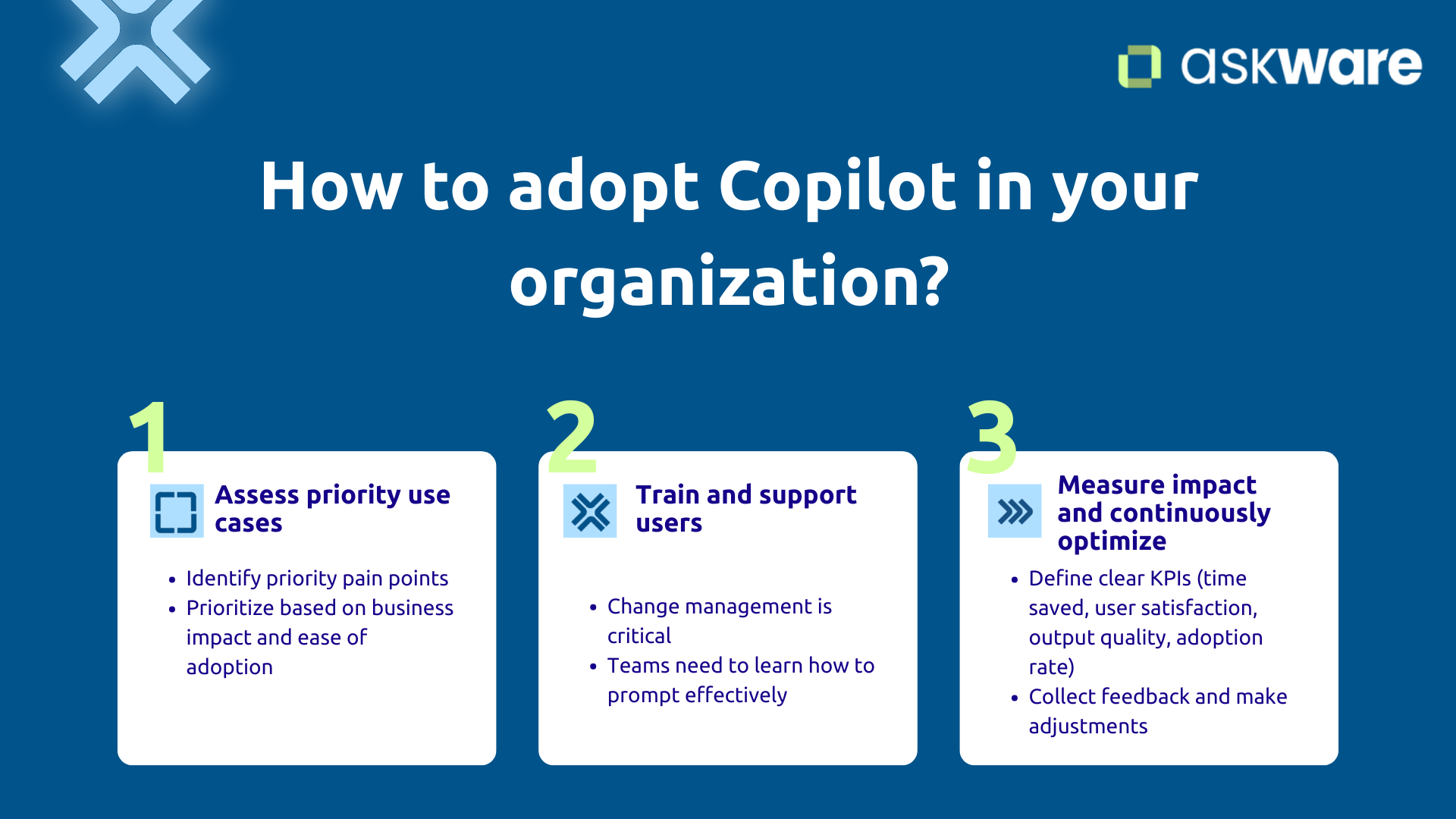
Evaluate priority use cases
Do not activate Copilot everywhere simultaneously. Adopting Copilot requires a targeted and gradual approach. Identify your priority bread points : where do you lose the most time? Where does quality vary?
Some use cases generate rapid feedback: Copilot for Sales for an administratively overloaded sales team, Copilot in Power Automate for repetitive HR processes, Copilot in Power BI for business departments who are waiting for analyses.
Prioritize based on business impact and ease of adoption. Askware supports you in this strategic analysis to identify the use cases with the highest ROI according to your context.
Train and support users
Copilot is intuitive but like any tool, it requires support.
Support for change is crucial to reassure the fact that Copilot assists but does not replace. Employees should keep a critical mind and not trust blindly.
Your teams need to learn to “prompt” effectively : ask the right questions, provide the appropriate context, iterate on the results. Without training, teams risk underusing Copilot's possibilities and the result may be disappointing.
Identify internal champions in each department who can be ambassadors to their colleagues. These ambassadors share their tips and accelerate adoption.
Askware trains your teams in the use of Copilot in your specific tools and supports the adoption of the tool.
Measuring impact and optimizing
Adoption is a process of continuous improvement. Measuring gains makes it possible to demonstrate value and create a virtuous circle in the adoption of Copilot.
Define clear KPIs such as time saved, user satisfaction, the quality of outputs or the adoption rate. After three months, measure changes in concrete terms and collect feedback to identify the necessary adjustments.
This data-driven approach makes it possible to continuously optimize and gradually extend Copilot to other departments with factual arguments.
Copilot is neither a fad nor a technological gimmick. It is a concrete digital transformation of the way you work with AI, Dynamics 365, and Power Platform. By integrating generative artificial intelligence into your daily tools, Copilot frees up time, improves the quality and democratizes skills formerly reserved for experts.
The gains are measurable and rapid: more productive salespeople, more effective customer support, accelerated application creation, and data analysis accessible to all. Microsoft designed Copilot for business with security guarantees adapted to professional requirements.
Success is based on a strategic approach : identify good use cases, train your teams effectively, measure impact and optimize continuously. Askware supports you at every stage: assessing priorities, deploying in your environment, training in best practices, and measuring the value created.